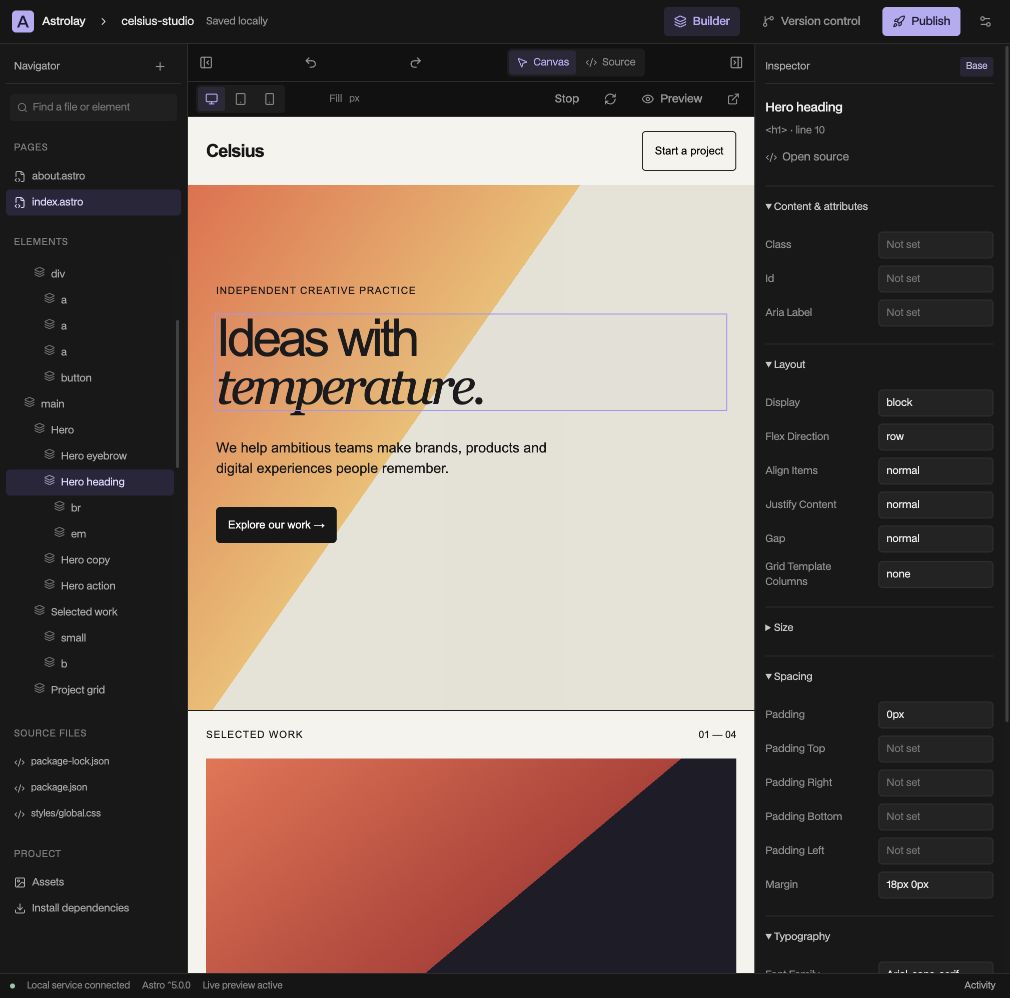
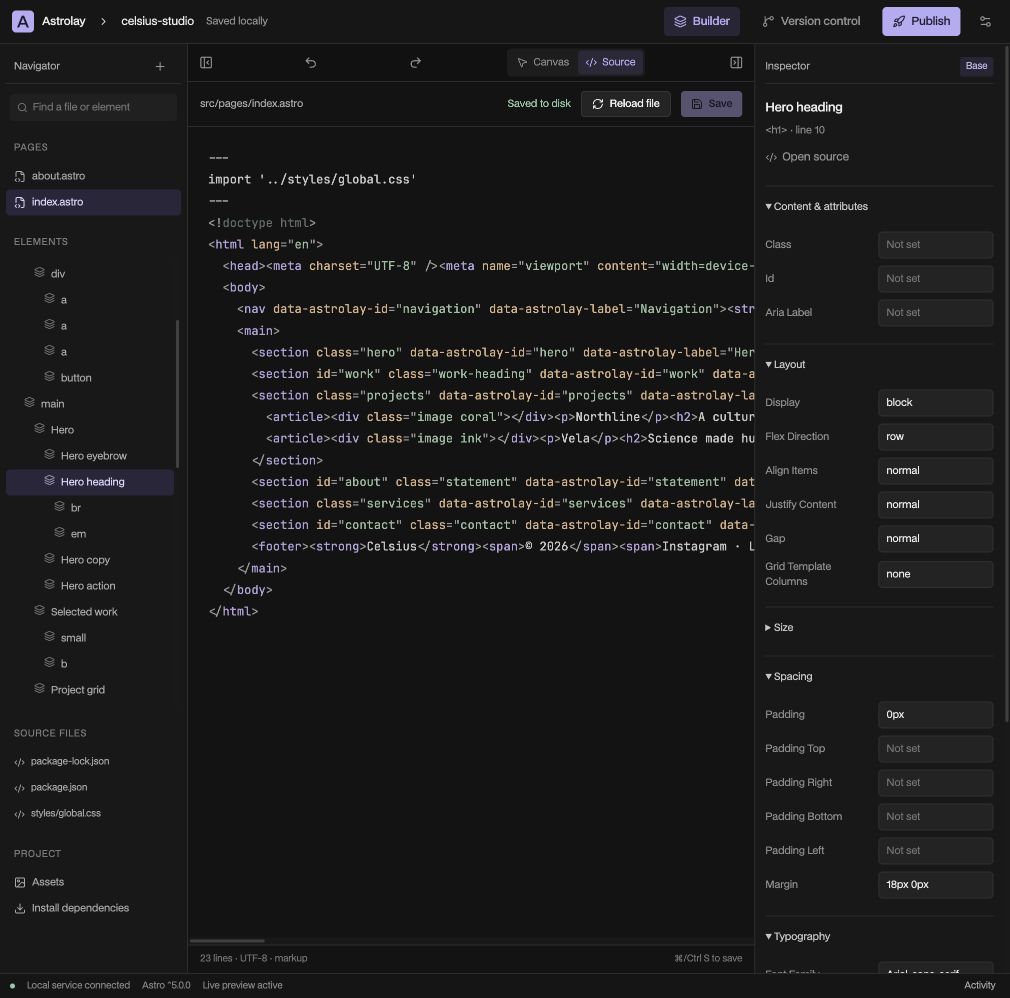
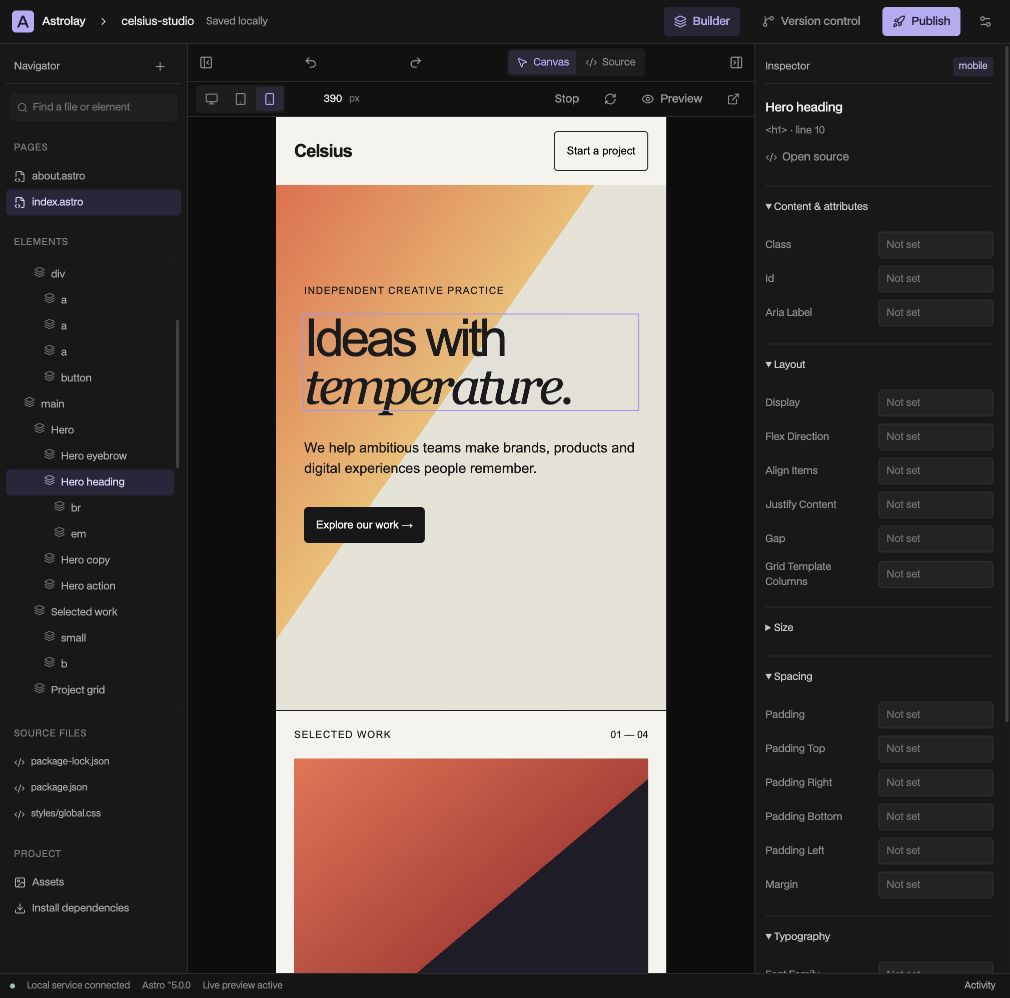
Review your diff, commit selected files and push to GitHub. Experiment on a branch with a clear path back to your last good idea.
Asrc/pages/index.astroASTRO
#src/styles/global.cssCSS
↗public/your-image.webpASSET
Your project, in its familiar form
03 — OWN
Your work belongs in your files.
Open an existing Astro folder or start a new project. Source stays editable in your usual tools, with revision checks and persistent undo for supported edits.
04 — PUBLISH
See it first. Ship that version.
Build a committed revision in isolation. Review a real Cloudflare preview, then promote those exact files to production.
Review your changes and commit a clean revision. The build uses that exact commit, separate from your working files.
REVISIONe4a82b1Committed source
A walkthrough of the workflow. No deployment is created here.
03 / WHY ASTROLAY
The canvas should open possibilities. So should the code.
Astrolay is built around a simple idea: visual editing should feel at home in a real web project.
Your pages are Astro. Your styles are CSS. Your history is Git. The visual layer helps you work with those tools, while keeping the underlying files within reach.
It’s for independent designers, developers and small studios who want room to make something of their own.
The Mac desktop app runs your local project, preview and builds. The browser workspace manages account connections and can connect to the running desktop service when your browser allows local network access.
Can I use an existing Astro project?+
Yes. Open a trusted Astro folder, install its dependencies and start the preview. Supported static markup is editable visually; dynamic expressions and custom logic remain available in Source.
Where do my files and credentials go?+
Project files stay on your computer until you push or deploy them. GitHub and Cloudflare tokens are encrypted in Astrolay’s account service. Publishing sends the built site to your chosen Cloudflare account.
What can I publish today?+
Version 0.1 supports static Astro builds from npm projects with a committed lockfile. SSR adapters, Pages Functions and monorepo builds need a separate workflow. See the current release boundaries.
How do I get the desktop app?+
The Apple silicon Mac build is in early testing. A signed public installer is still being prepared. You can explore the product here and use the browser workspace for account setup. Read the getting started guide.
 Inside Astrolay